
Map drawing tools
built for land work.
Accurate areas and distances you can quote, contract, and act on. m² · ha · km² · m · km. Reliable enough for fence runs, irrigation fields, and site layouts.
Measure
Area, perimeter, segment distances. m² · ha · km² · m · km. Accurate enough to quote from.
Layers
Color-coded, named, reorderable. Keep roads, fences, vegetation and notes apart. Toggle visibility per layer.
3D terrain
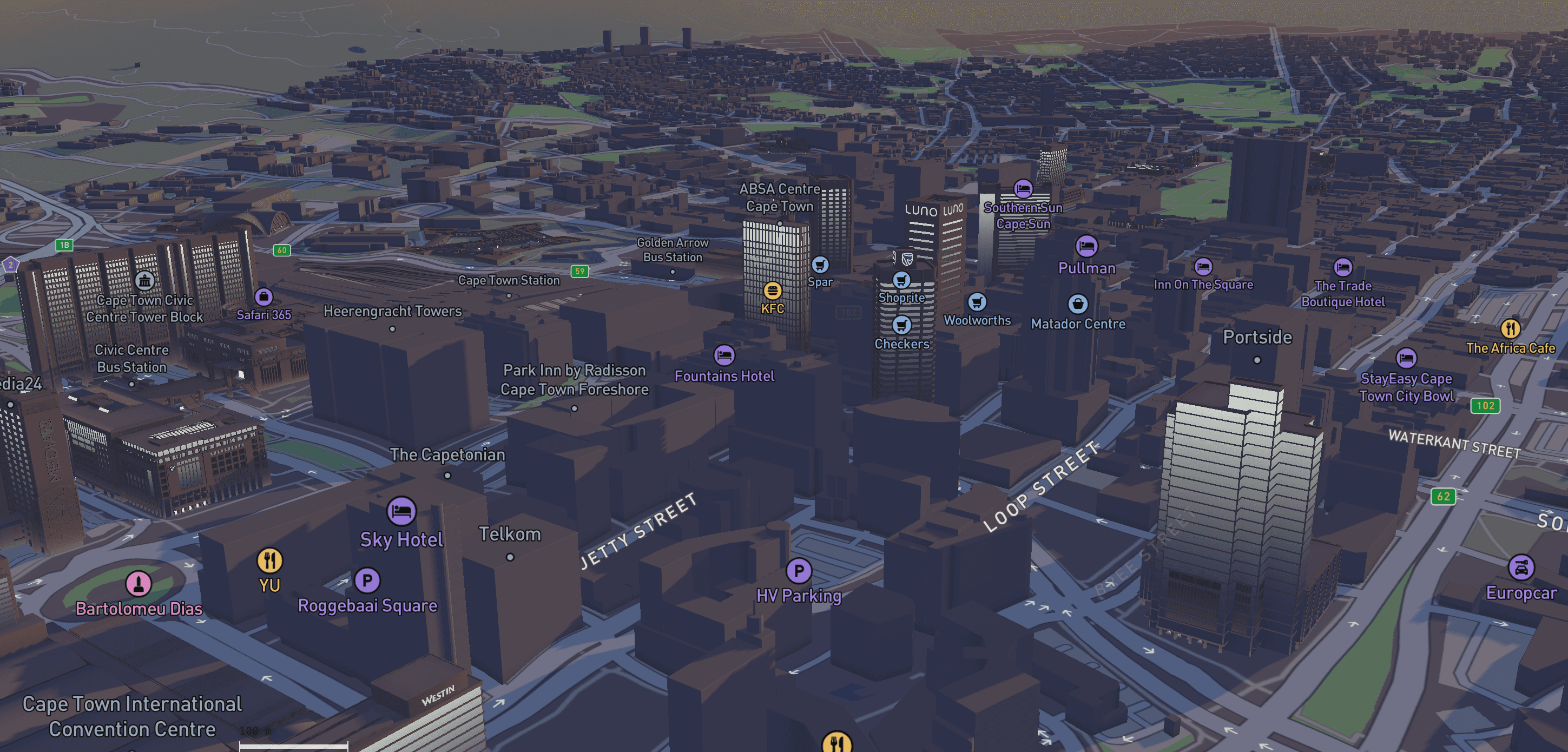
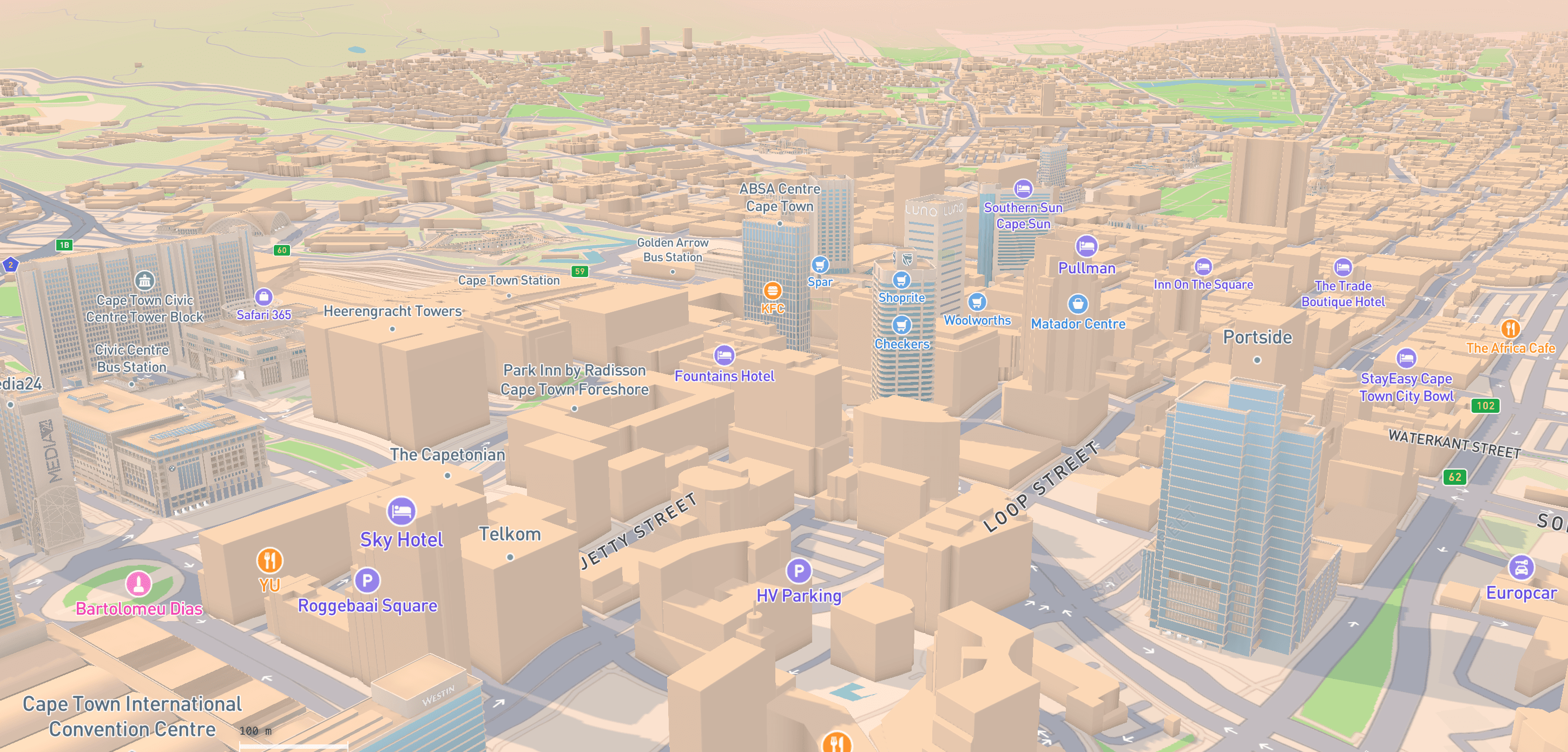
Real terrain height and buildings. Walk a client through the actual land in perspective — dawn, day, dusk, or night.
Crop health
See which areas are healthy and which are stressed — directly on the map. Updated from NASA satellite data every 8 days.
Quote items
Per-shape pricing — label, category, unit price, notes. Totals roll up automatically.
Split parcel
Cut existing polylines and polygons by drawing a line across them. Preserves attributes.
PDF export
Drag-to-crop region, title block, layer legend, measurements table. Clean on Pro/Business.
Auto-save
Your work saves as you go. Close the tab, refresh, come back later — nothing is ever lost.
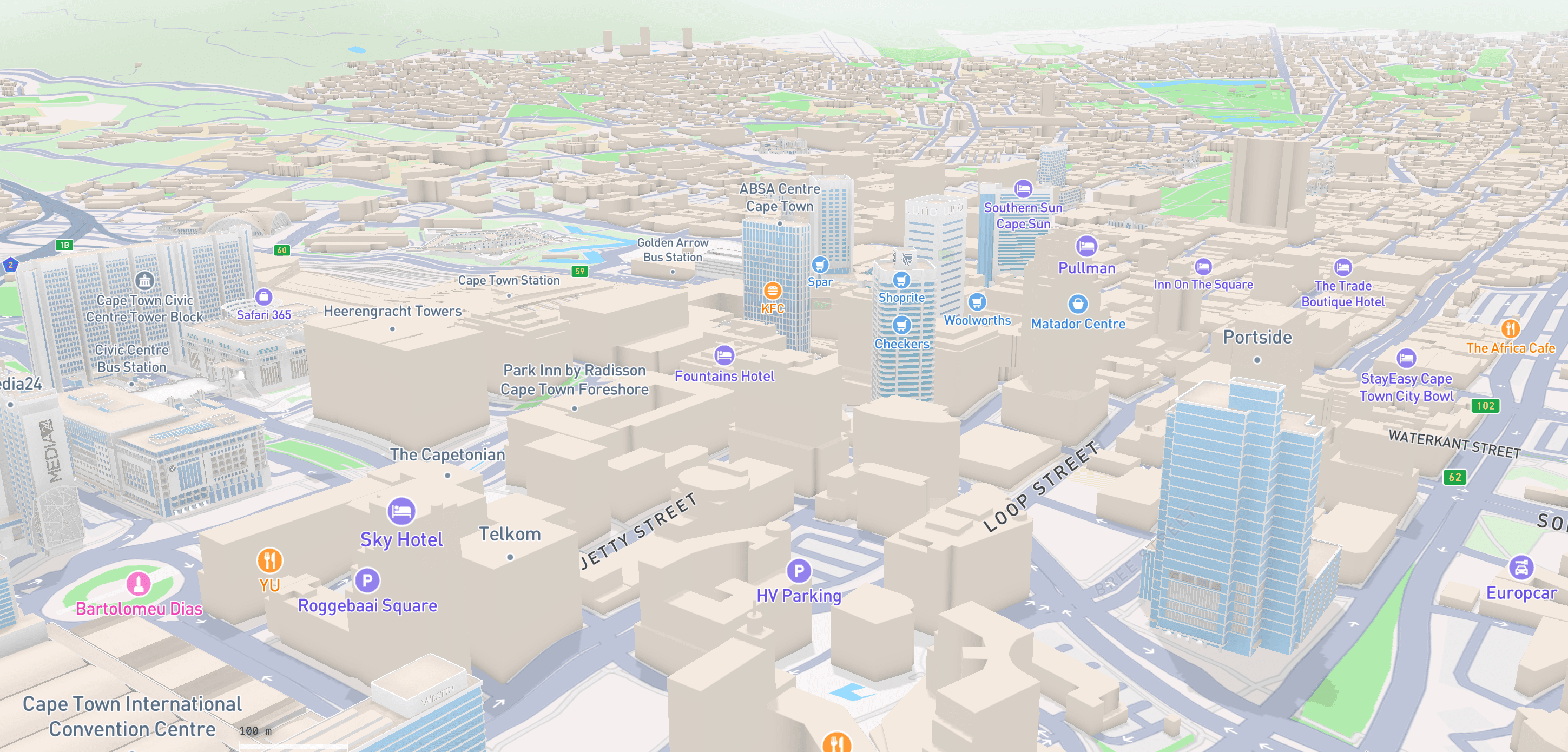
Satellite, terrain & 3D —
one map, every view.
Hybrid for working, Standard for client review, Satellite for raw imagery, Road for vector clarity. Switch with a keystroke.
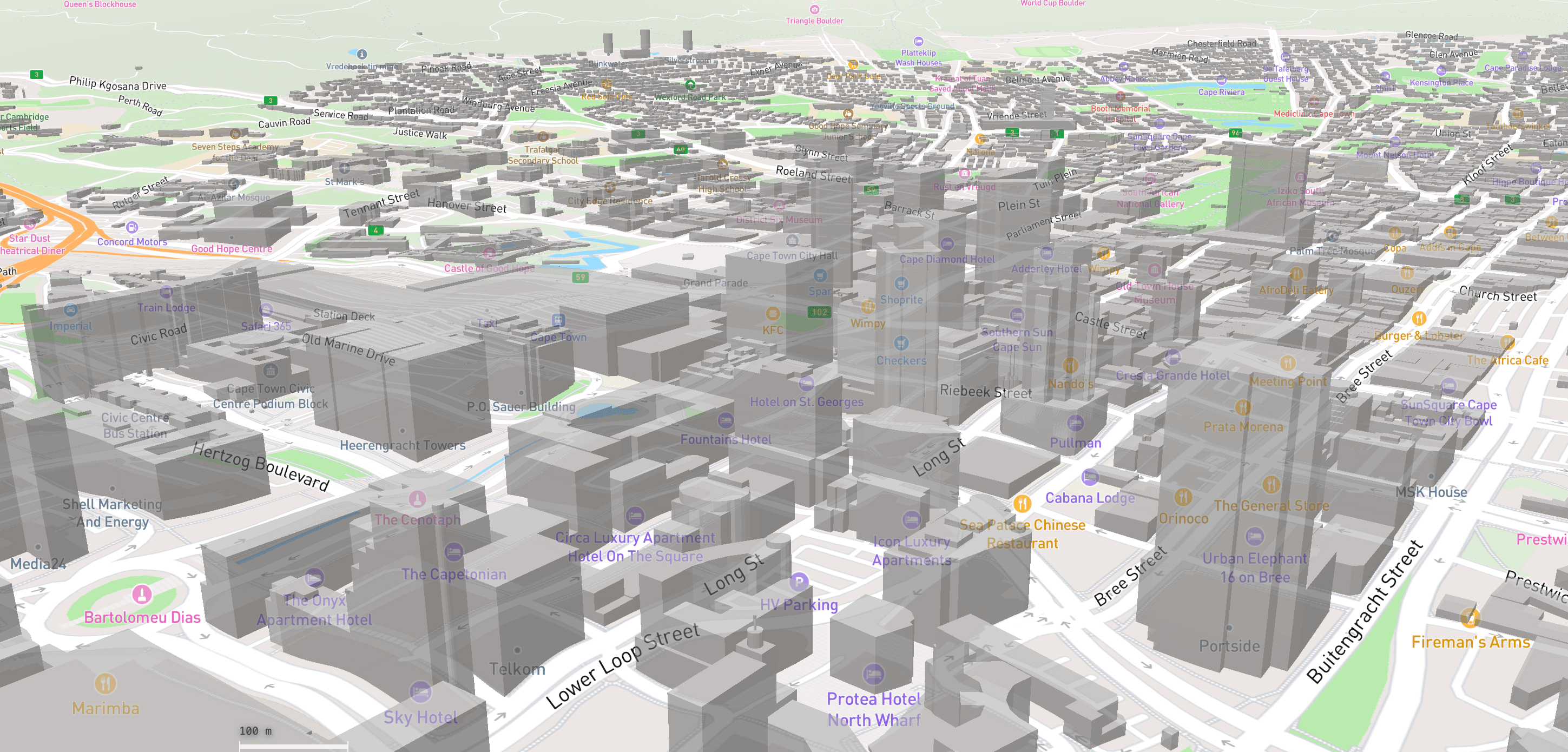
Measure area & distance.
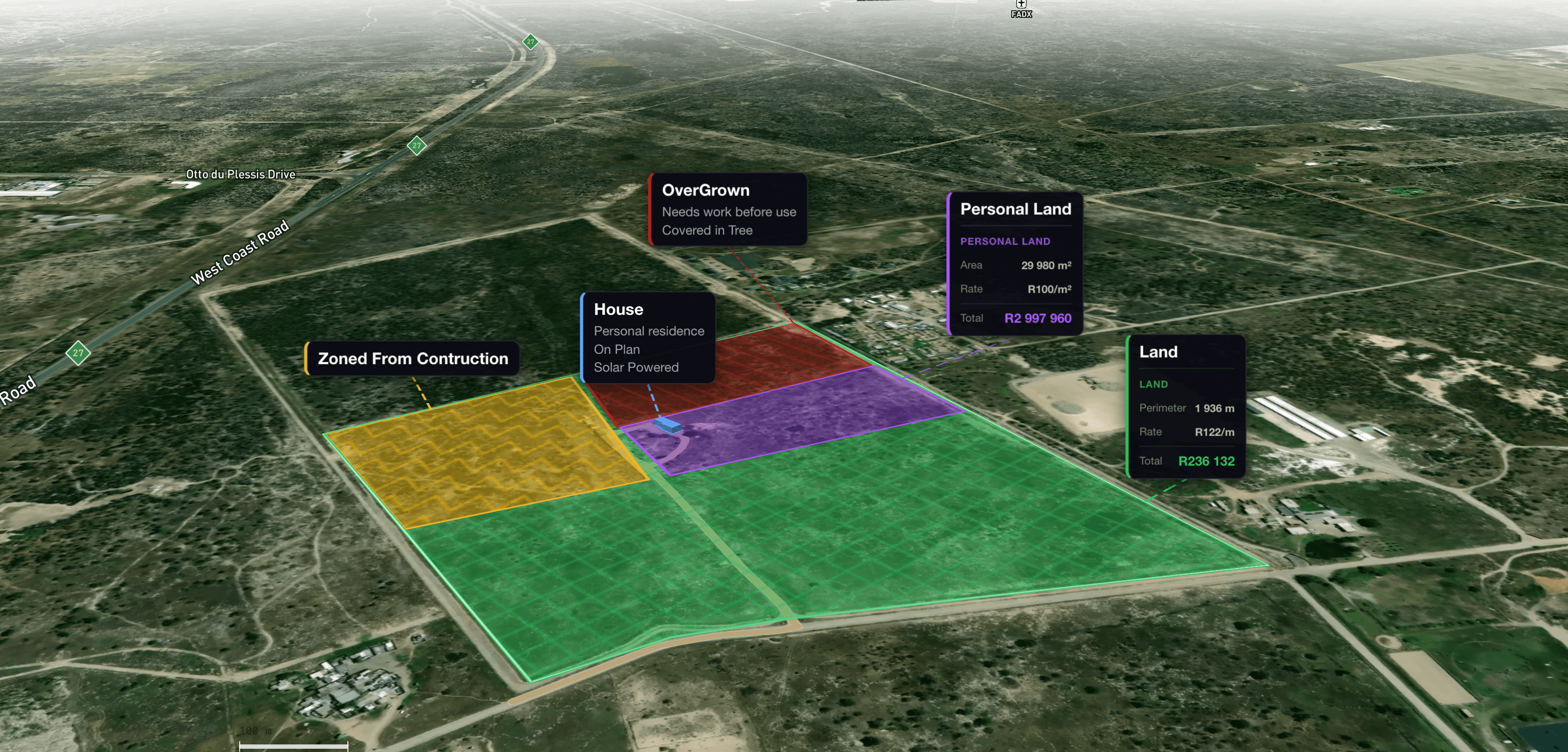
Quote it — on the map.
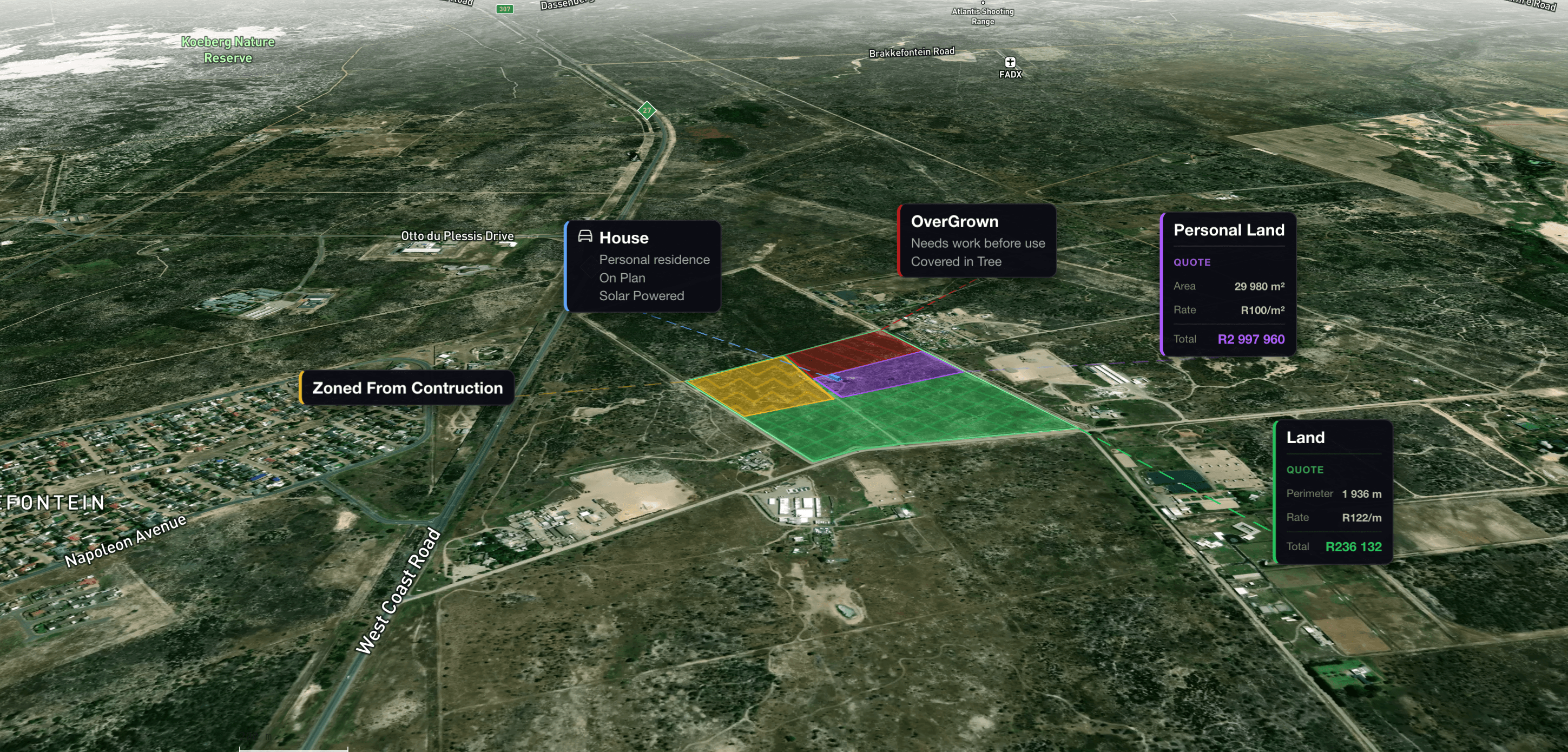
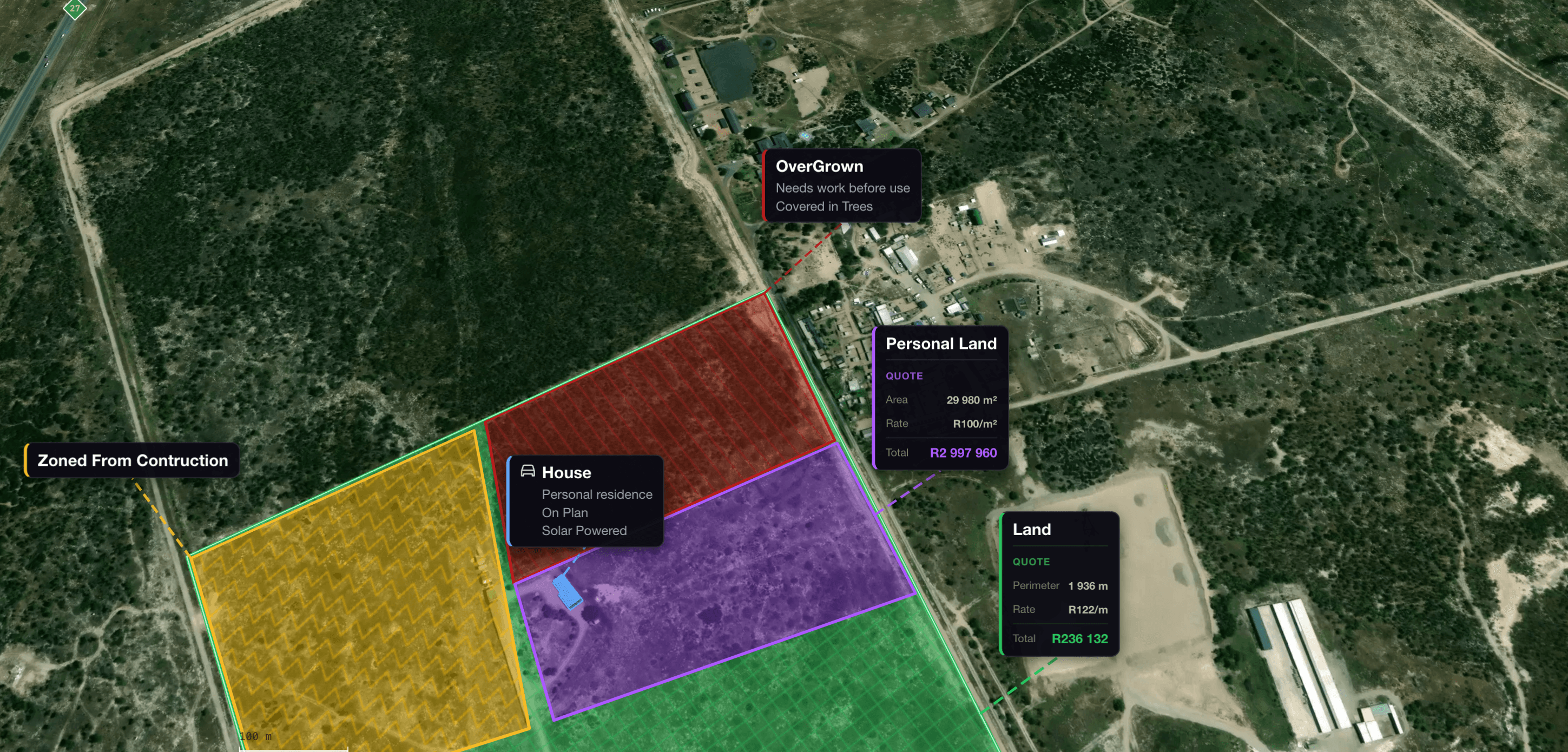
Cost cards float over the exact zones they apply to. Clients see the plan and the numbers in one frame — no separate spreadsheet, no ambiguity.
Color-coded zones
Instant visual separation of land areas, project phases, or work categories.
Quote cards on the map
Costs pinned to the exact polygon. No hunting through a separate document.
Auto calculations
Area × rate per m² · perimeter × rate per metre · totals refresh as you edit.
Flat & 3D views
Overhead for technical handoff. Perspective for non-technical clients.
Farm planning, property mapping
& site design.
Terramapr is not a generic drawing app. Every shape category, label icon, and 3D stamp exists because someone needed it on a real site.
Fence planning
Polyline tool with fence, wall, and railroad line styles. Total run length quoted by the metre.
Landscaping
Map gardens, paths, trees, lawns, and structures. Stamp pine and oak trees with realistic 3D footprints.
Site planning
Lay out access roads, buildings, parking, water, boundaries, and working zones with named layers.
Farm & rural planning
Fields, tracks, fences, water points, sheds, vegetation. NDVI overlay for crop-health planning.
Property development
Subdivide parcels with the split tool. Concept plans without CAD or GIS overhead.
Client communication
Turn rough land ideas into visual plans. Share 3D perspective views with quote cards attached.
From land to site plan
in minutes.
No setup, no installer, no file management. Open the URL, find your site, draw.
Open your site
Search by address or pan to coordinates. Real terrain, real roads, real buildings as your starting point — not a blank canvas.
Draw and measure
Click vertices to define shapes. Terramapr calculates area and distance live as you go. Edit in place, lock when done.
Quote, present, hand off
Attach pricing per shape. Export to PDF with title block and legend. Share an interactive link or hand the team a clean print.
“Been using it to quote fencing jobs. I draw the run on the satellite, get the metres, done. No more walking the perimeter with a wheel.”
“Client wanted to see the zones before committing. I showed them the 3D view on my laptop. They signed the same afternoon.”
“We do irrigation planning on smallholdings. The field layer + area measurement is exactly what I needed. Took about 10 minutes to learn.”
Free to start.
Upgrade when it becomes part of your work.
Billing through Paystack. Monthly auto-renew. Cancel anytime — your plan stays active until the period ends.
Starter
Try Terramapr on one real site. No credit card required.
- Active projects1
- Shapes per project25
- Layers2
- Map loads / mo100
- PDF exports1 · watermarked
- Undo history5 steps
Professional
For solo professionals running real projects.
- Active projects25
- Shapes per project500
- Layers10
- Map loads / mo5 000
- PDF exportsClean · unlimited
- Undo history50 steps
- ✓3D terrain & buildings
- ✓3D stamps & object heights
- ✓NDVI vegetation overlay
- ✓Quote estimates · 25 items
- ✓Split parcel tool
Business
For businesses managing multiple sites and people.
- Active projectsUnlimited
- Shapes / layersUnlimited
- Team members10
- Map loads / mo25 000
- Undo history50 steps
- ✓Everything in Professional
- ✓Shared team workspace
- ✓Owner · Editor · Viewer roles
Prices in ZAR (South African Rand) · Billed monthly · Cancel any time · International cards accepted
Questions about
land measurement & planning.
If you don't see your question, the support inbox is monitored daily — we read every message.